




What it is
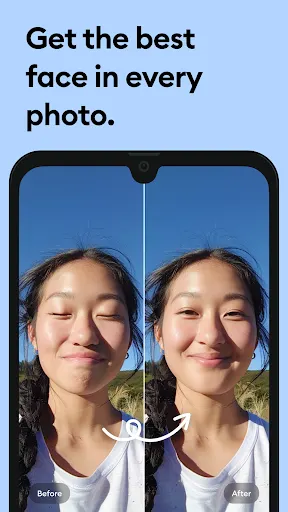
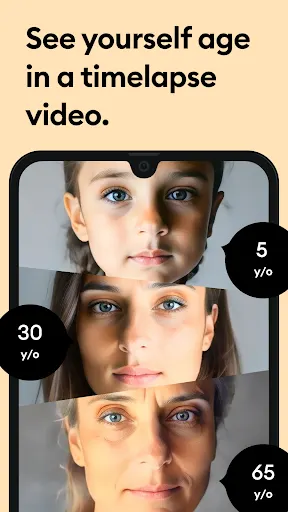
Remini is a photo enhancement app from Bending Spoons, listed under Photography. It is free to install and rated Everyone. The pitch is simple: feed it a weak picture and get a cleaner one back. The listing names old, pixelated, blurred and damaged photos as the target, and says the work is done by artificial intelligence. It also mentions generating AI photos of yourself, though it gives no detail on how that works.
What the listing says it does
The feature list is short. Portraits, selfies and group pictures can be turned into higher definition images. Old, blurry or scratched photos can be repaired. Vintage and old camera photos can be cleaned up. Out-of-focus pictures can be sharpened, and low-quality photos can have their pixel count raised and be retouched. The app is available in ten languages, including Hindi, Japanese, Korean, Portuguese, Russian, Spanish and Thai. The developer also claims that over 100 million photos have been revitalized, which is its own figure and not something the ratings can confirm.
What the ratings show
The numbers are large. The app holds a 4.09 average across 5,900,843 ratings and has 500,000,000+ installs. That average hides a split. Roughly 70.3% of ratings are five stars, but 17.5% are one star, while only 2.6% give two stars, 3.6% give three and 6% give four. People tend to either love it or dislike it. A one-star share this size, at this volume, is the single most useful warning in the data.
Where it falls short
Premium access is sold as a subscription, weekly or yearly, charged to a Google Account and renewing automatically unless you switch auto-renewal off a full day ahead of the period end. The listing adds that cancelling does not refund the current period, and that any unused free trial time is lost if you buy. It does not say which features are free and which are locked, so you cannot judge the free tier from the listing alone. Older Android versions below 7 may not get recent updates.
Anyone with a pile of old family photos or a few soft portraits will find the use case obvious. The app was last updated on 2026-10-21 and first appeared in July 2019, so it is actively maintained. If you only need to fix one or two pictures, check the subscription terms first, since the cost structure is the main thing the listing leaves vague.
In short, the data supports a focused, popular tool and flags two things to check: the unhappy minority in the ratings and the subscription terms. Neither is a dealbreaker, but both are worth a minute of your time before you hand over payment details.
From the Play Store listing
These figures come from the official Google Play listing and can change at any time. Check the current listing.
- Play rating
- 4.1 out of 5
- Ratings
- 5,900,843
- Installs
- 500,000,000+
- Developer
- Bending Spoons
- Updated on
- Oct 21, 2026
- Version
- 3.7.1472.202526272
- Content rating
- Everyone
- Requires Android
- 7.0
- Released on
- Jul 21, 2019
- Category
- Photography
- Price
- Free
How those ratings split


