

What it is
YouCut is a video editing app from InShot Video Editor, listed under Video Players & Editors. It was released on Oct 15, 2014 and last updated on 2026-10-10. It is free to download and rated Everyone. The Play summary highlights an AI video editor with music, filters, slideshow, effects, merge and trim tools.
What it does well
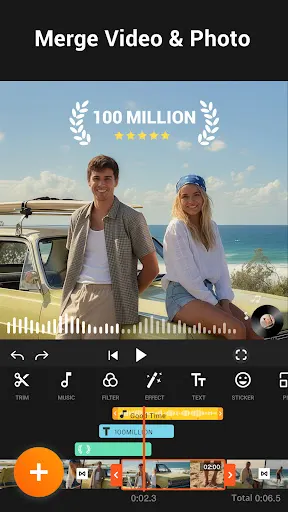
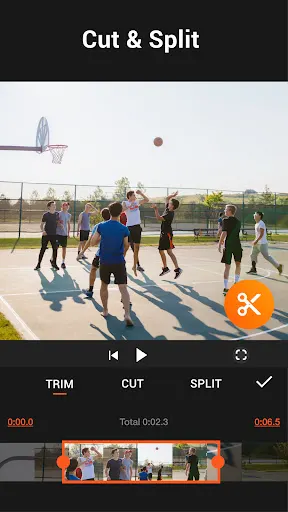
The tool list is long. For basic editing, the listing names cutting and trimming, splitting a clip in two, and merging several videos into one. Speed can be changed from 0.2 times to 100 times. There is a multi-layer timeline, along with chroma key and green screen features.
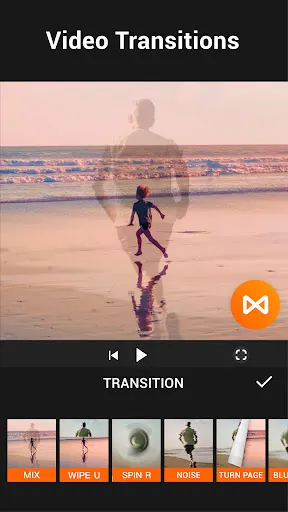
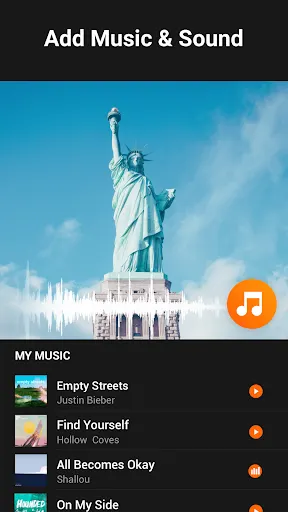
For finishing, you can add music, adjust the original sound, apply filters and effects, and tune brightness, contrast and saturation. Aspect ratios such as 1:1, 16:9 and 3:2 are listed, and so is a photo slideshow maker. The listing also mentions a compressor and converter with export up to 4K.
A group of AI features is named too. These are auto captions that turn speech into text, background removal, one-tap enhancement for video and photos, and a smooth slow-motion option.
Two claims matter for a free app. The listing says exported videos never carry a watermark, and that there are no banner ads on screen while you edit.
What the ratings show
The app scores 4.83 from 8,635,571 ratings and has 100,000,000+ installs. Five stars account for 90.3% and four stars for 6.4%. Three stars are 1.3%, two stars 0.5% and one star 1.6%. For a tool with this many features, that is a very strong response. The data does not show which features people like most.
Where it falls short
Several questions are left open. The no-ads promise says nothing about ads outside the editing screen, and the listing does not mention whether any features cost money. It also does not say whether the AI tools run on the device or need a connection.
The list of features is also long enough that a newcomer may not know where to start, and the listing offers no guide to that.
Who it suits
It suits people who want to cut, join and polish short clips on their phone without a watermark. Anyone who needs a clear price list should look inside the app first.
From the Play Store listing
These figures come from the official Google Play listing and can change at any time. Check the current listing.
- Play rating
- 4.8 out of 5
- Ratings
- 8,635,571
- Installs
- 100,000,000+
- Developer
- InShot Video Editor
- Updated on
- Oct 10, 2026
- Version
- 1.722.1225
- Content rating
- Everyone
- Requires Android
- 8.0
- Released on
- Oct 15, 2014
- Category
- Video Players & Editors
- Price
- Free
How those ratings split