

What it is
VN is a Video Players & Editors app from Ubiquiti Labs, LLC. It was released in May 2018 and last updated on 2026-10-26. It is free to install and carries a Teen content rating. The Play score is 4.72 from 5,551,179 ratings, and installs are at 100,000,000+.
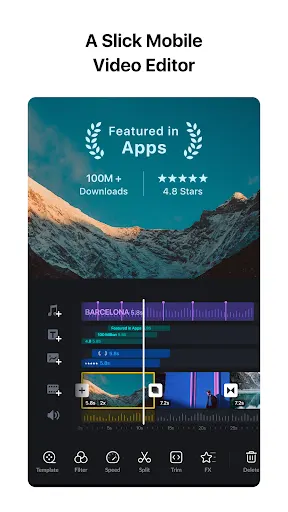
It is pitched at people making short clips for TikTok, Instagram Reels and YouTube Shorts, with a timeline-based approach to editing.
What it does well
The editing toolkit is deep for a phone app. The listing describes a multi-track timeline with overlays, masks, reverse, freeze frame, zoom effects and keyframe animation. Trimming is described as frame-accurate to 0.05 seconds, with up to 30x zoom on the timeline. Speed control includes presets and curve-based ramps.
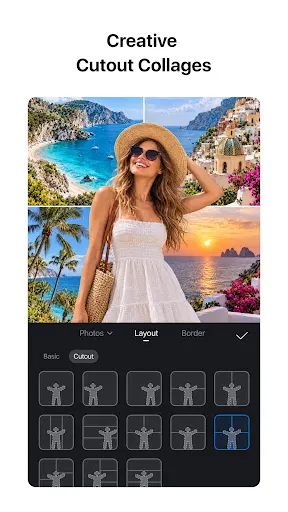
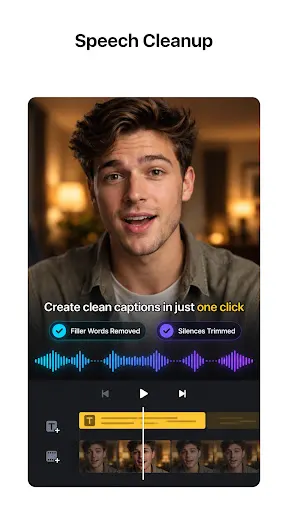
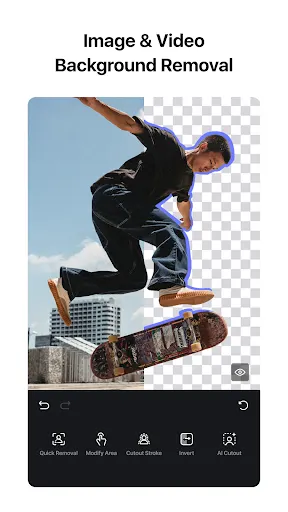
Automation covers the slower jobs. Auto captions turn speech into subtitles in multiple languages and can detect filler words and silent gaps. Text-to-speech generates voiceovers without recording. Cutout removes backgrounds from videos and photos. AutoCut and BeatsClips build edits that follow the beat of your music.
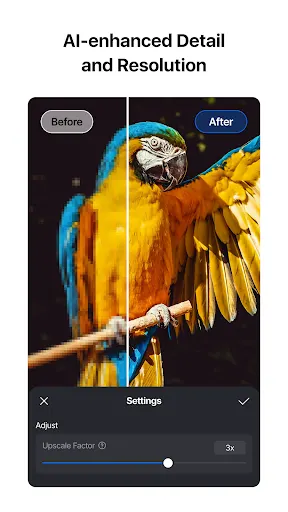
There is a set of AI Kits as well: photo enhancement, image generation from text prompts, and video generation. The listing says export goes up to 4K at 60fps, and that drafts can be saved with full undo and redo.
The ratings are excellent. 84.1% are 5 stars and 9.8% are 4 stars.
Where it falls short
Only 2.7% of ratings are 1 star, so the complaints are limited. The weak points are in what the listing leaves out. It does not say whether any of these tools, especially the AI Kits, sit behind a subscription. It does not say how much storage the app needs, or what phone you need to export at 4K and 60fps.
The Teen content rating also means it is not a pick for young kids, though the listing does not explain the reason for it.
Who it suits
Creators who post short videos and want more control than a basic trimmer will get a lot here. The beat-sync tools suit music-driven clips, and the templates cover formats like Reels, Stories and YouTube thumbnails. Casual users who only need to cut one clip may find the feature list more than they need.
From the Play Store listing
These figures come from the official Google Play listing and can change at any time. Check the current listing.
- Play rating
- 4.7 out of 5
- Ratings
- 5,551,179
- Installs
- 100,000,000+
- Developer
- Ubiquiti Labs, LLC
- Updated on
- Oct 25, 2026
- Version
- 2.23.2
- Content rating
- Teen
- Requires Android
- 7.0
- Released on
- May 4, 2018
- Category
- Video Players & Editors
- Price
- Free
How those ratings split


